Direct Advertising for the Classical Music Community
Connect your brand directly with professional musicians and serious students. No intermediaries, no hidden fees—just direct access to a highly targeted audience.
Your Campaigns at a Glance
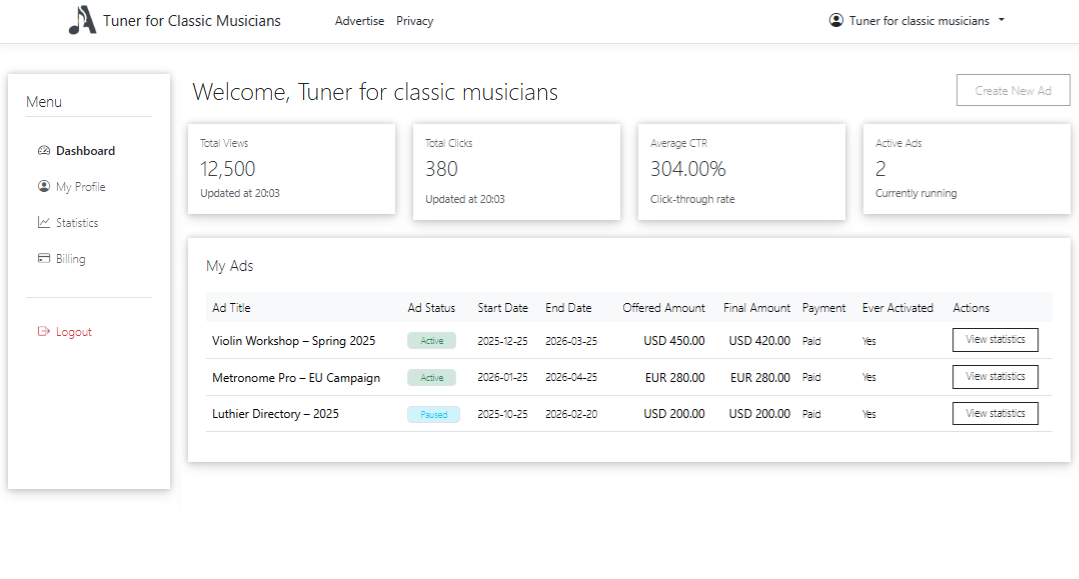
The Advertiser Portal dashboard gives you an instant overview of every campaign. Total views, clicks, and CTR are front and center—no digging through menus.
- Summary stats for all active and past campaigns
- Quick access to create new ads and manage existing ones
- Clear status and payment info so you stay in control
Create Ads in a Few Steps
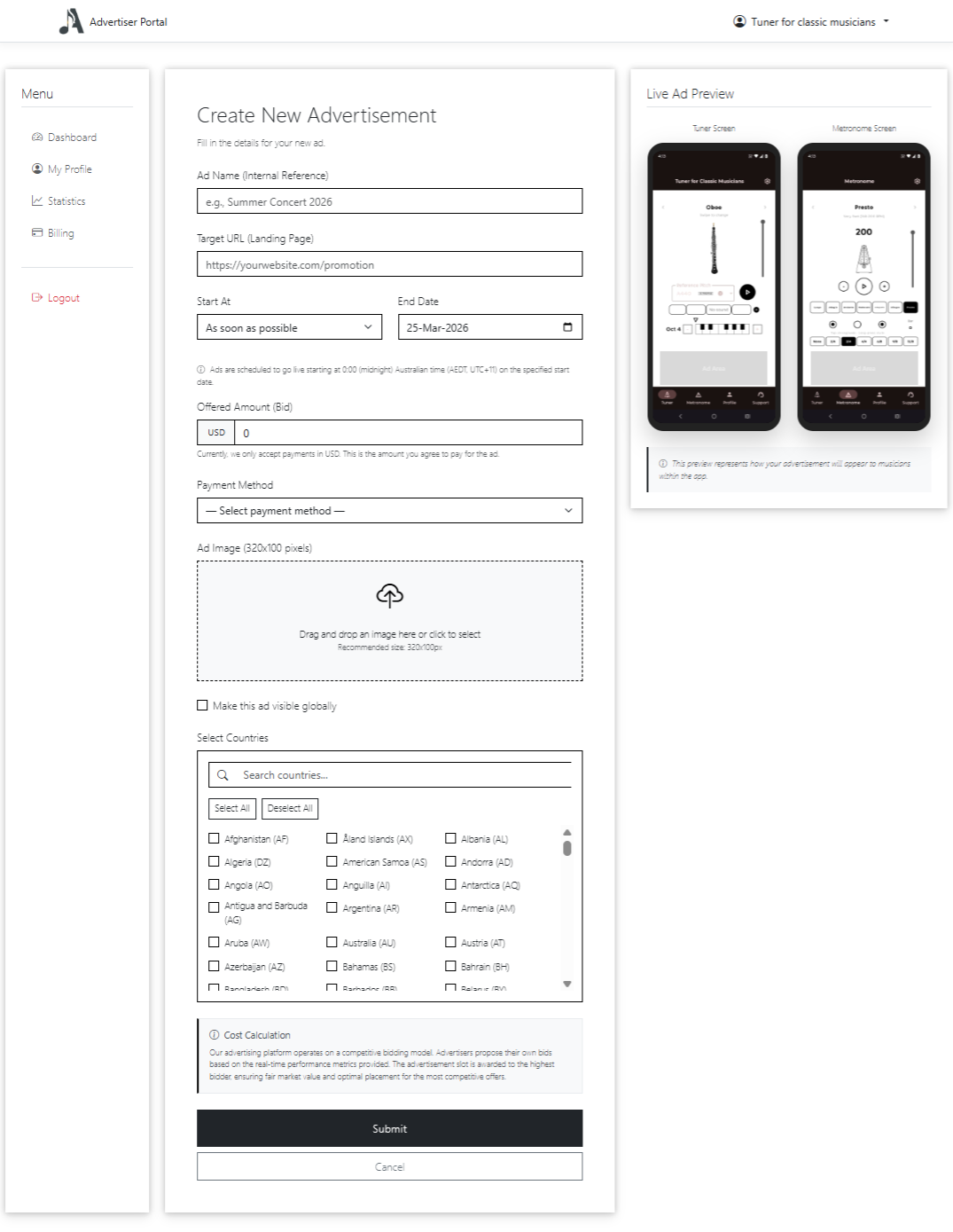
Start a new campaign with a simple, guided form. Enter your ad copy, set targeting and budget, and submit for review. No complex setup—just the fields you need.
- Clear form with ad name, dates, and targeting
- Bid and budget in one place
- Submit and track status from the dashboard
Ads rotate by area: global, then country, then city, then suburb. Each time a musician opens the app or switches screens, the next matching ad is shown. Musicians who have not set a location in their profile only see global ads.
Manage Your Profile
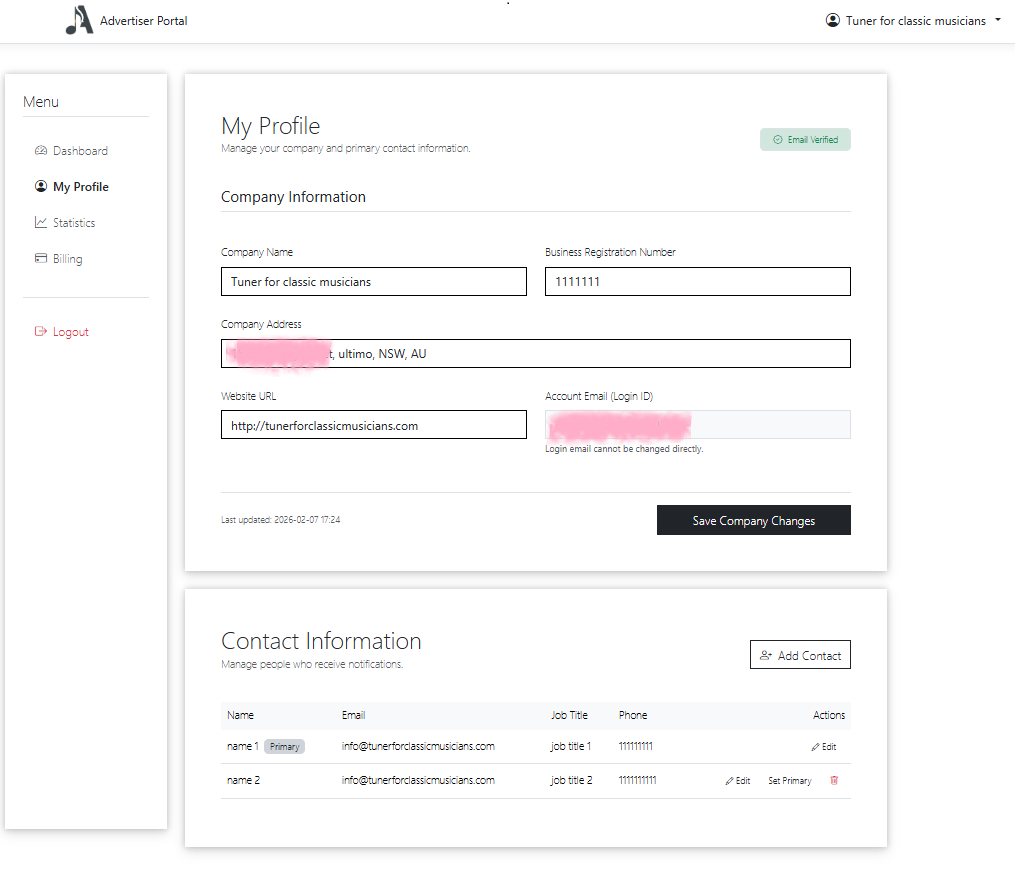
Keep your business and contact details up to date in one place. Your profile is used for invoicing and communications, so you stay in control of how we reach you.
- Business name and contact information
- Billing and notification preferences
- Update anytime from the portal
Real-Time Statistics & Clear Graphs
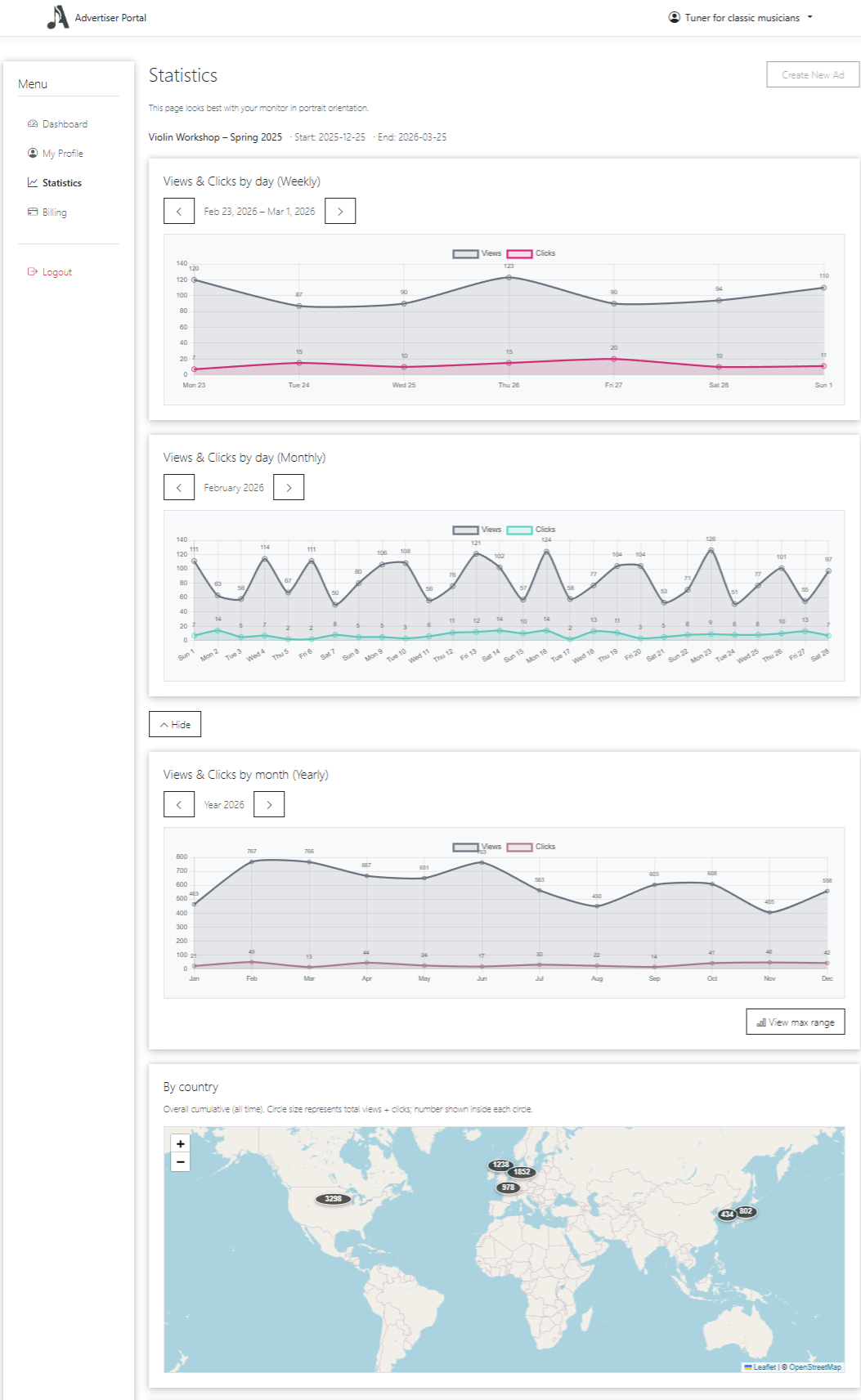
Location-based statistics are no longer provided. To maximize protection of user privacy, we do not offer reports based on GPS, latitude, longitude, or other device location data.
Track performance with real-time analytics and easy-to-read charts. Impressions, clicks, CTR, and trends are shown in graphs you can scan in seconds.
- Live metrics so you see results as they happen
- Time-based views (daily, weekly, monthly) for trends
- Per-campaign breakdowns and export-friendly data
Simple Creation, Clear Billing & Invoices
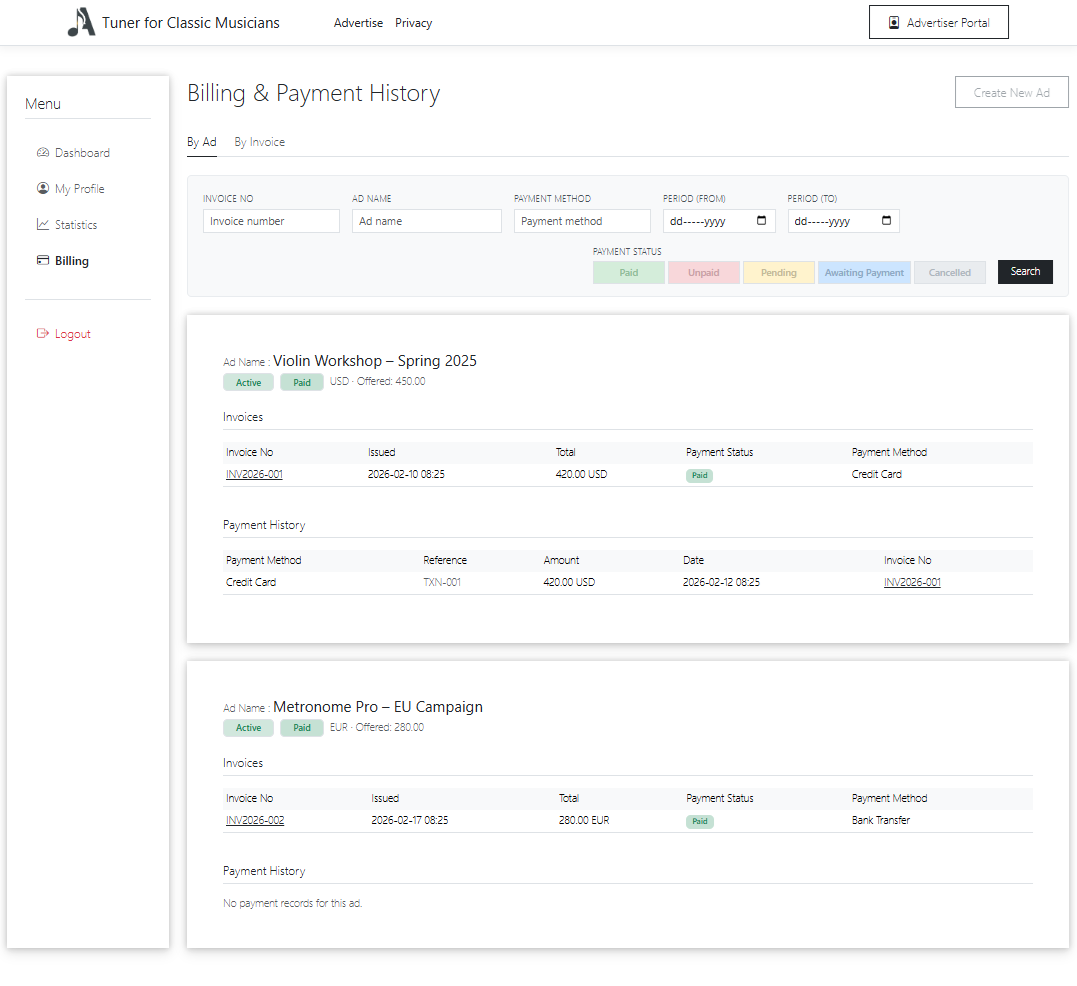
Create and submit ads through a straightforward flow. Once live, payment and invoicing are handled in one place—invoices, payment history, and filters so you can find any transaction quickly.
- Step-by-step ad creation with clear requirements
- Invoices and payment history in one dashboard
- Search and filter by status, date, and invoice number
Clear Invoices at a Glance
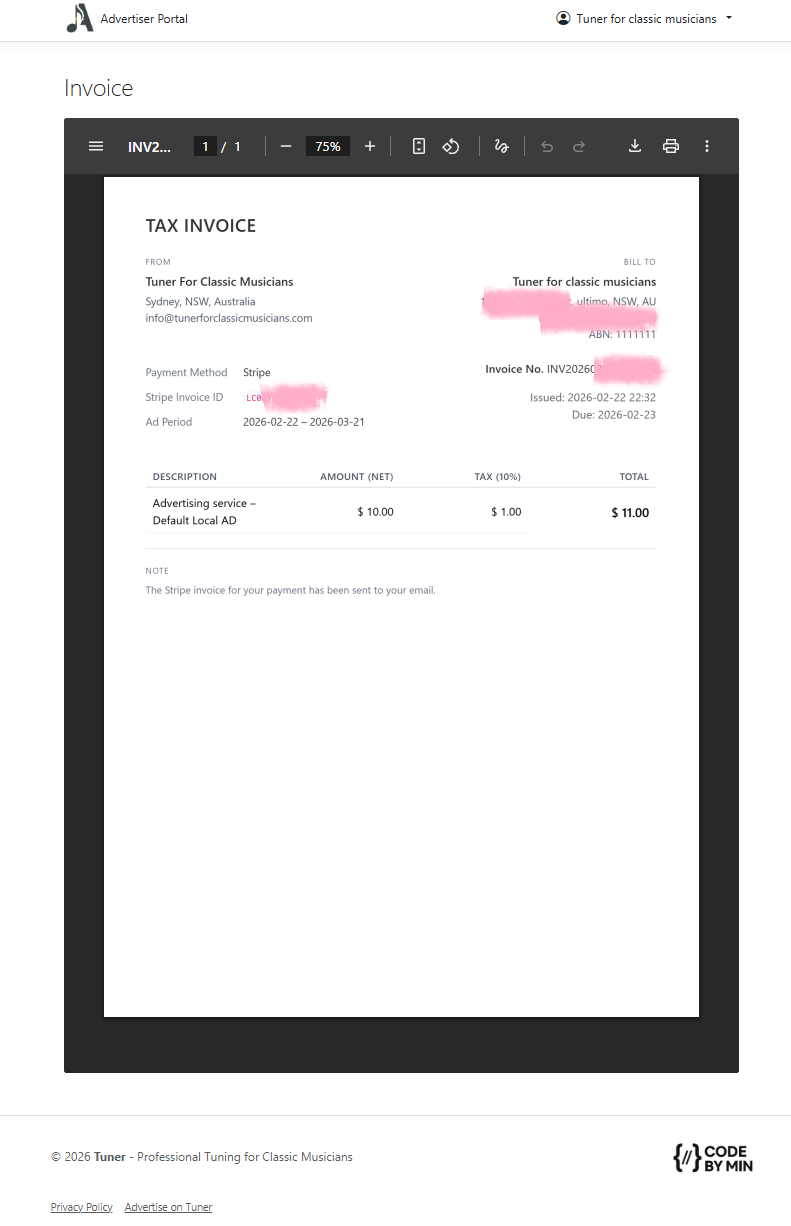
Open any invoice from Billing to see the full detail—amounts, due dates, payment method, and status. View or download for your records whenever you need.
- Invoice number, issue date, and due date
- Line items and totals in one view
- Ready to view or save for your accounting
Ready to reach your target audience?
Create your account and start your first campaign today.
Create Advertiser Account